Image: Unsplash, used under the Unsplash License.
Someone on your team pasted a client email into a personal chatbot this week. They didn't think of it as breaking a rule, because nobody wrote one down that they could follow. This page is that rule: a shadow AI policy you can copy, fill in in an afternoon and send round on Monday.
It's a policy, not a detection guide. If you first want to find out which tools people actually use (survey, expense check, DNS logs), start with our shadow AI detection guide, then come back here to write the rules. The policy text is also a Word file you can download.
When to use this template
- You have no AI policy yet and the immediate problem is people using AI tools you never approved. This is the short version. When you want the full set of rules (output review, disclosure, banned uses), our AI acceptable use policy template covers them, and this page can sit inside it as the tools section.
- You have a policy, but it's a ban. A ban with no approved alternative doesn't stop the use. The NCSC's warning is that policies which lag behind what people need push them toward tools nobody has approved.
- You're adding AI agents or browser assistants that act on email, files or calendars. Section 7 of the template covers them.
Why a ban-only policy fails
The UK's National Cyber Security Centre put the case plainly in its September 7 guidance on shadow AI: "The use of shadow AI is unlikely to disappear completely," so "the goal should be to reduce risk rather than assume it can be eliminated." It also points to a study in which 71% of employees said they'd used AI tools their employer hadn't approved, and it's blunt about the cause: where security policies can't meet business needs, people adopt new AI services before anyone has assessed them.
The numbers from elsewhere point the same way. In the 2024 Work Trend Index, Microsoft and LinkedIn found that 78% of AI users bring their own AI tools to work. In IBM's 2025 breach study of 600 organizations, one in five had a breach due to shadow AI, only 37% had policies to manage AI or detect shadow AI, and organizations with high levels of it saw an average of $670,000 more in breach costs.
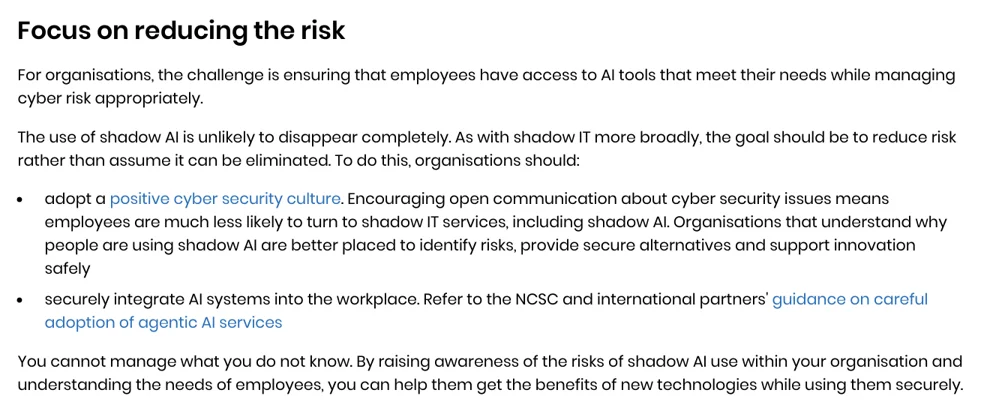
Screenshot: "The hidden risks of shadow AI", UK National Cyber Security Centre, published September 7, 2026, checked October 21, 2026.
So the policy below does three things a ban doesn't: it gives people an approved route for the jobs they're already doing, it makes asking for a new tool quick, and it makes reporting a mistake safe. The NCSC's point about culture is the reason for the last one: when people can talk openly about security, they're "much less likely to turn to shadow IT services, including shadow AI."
Step 1: Decide three things before you copy
- One owner. A named person who keeps the tool list, answers requests and receives slip reports. In a ten-person company we'd pick the founder or the ops lead.
- Your approved tools, with company accounts. The difference between "approved" and "shadow" is mostly the account, not the brand. The table below shows why.
- Your data classes. Three is enough: public, internal, restricted. Write two or three examples of each that your team will recognize.
| Tool | Company or team plan | Personal plan |
|---|---|---|
| ChatGPT | Business, Enterprise, Edu and Healthcare workspace content isn't used for training by default (OpenAI) | New chats are used for training unless the user turns off "Improve the model for everyone"; a thumbs up or down can put the whole conversation into training even after opting out |
| Claude | Commercial products such as Claude for Work and the API aren't used for training by default (Anthropic) | Free, Pro and Max users choose in settings; if they allow training, chats are kept for five years instead of the 30-day period (consumer terms update, Aug 28, 2025) |
| GitHub Copilot | Business and Enterprise data isn't used to train models (GitHub) | Since April 24, 2026, Free, Pro, Pro+ and Max interactions may be used for training unless the user opts out |
That table is the whole argument for "company accounts only." The same brand on a personal plan sends your data somewhere you have no contract and no setting to control. The NCSC puts it as information that "may be stored, retained or used to improve the service."
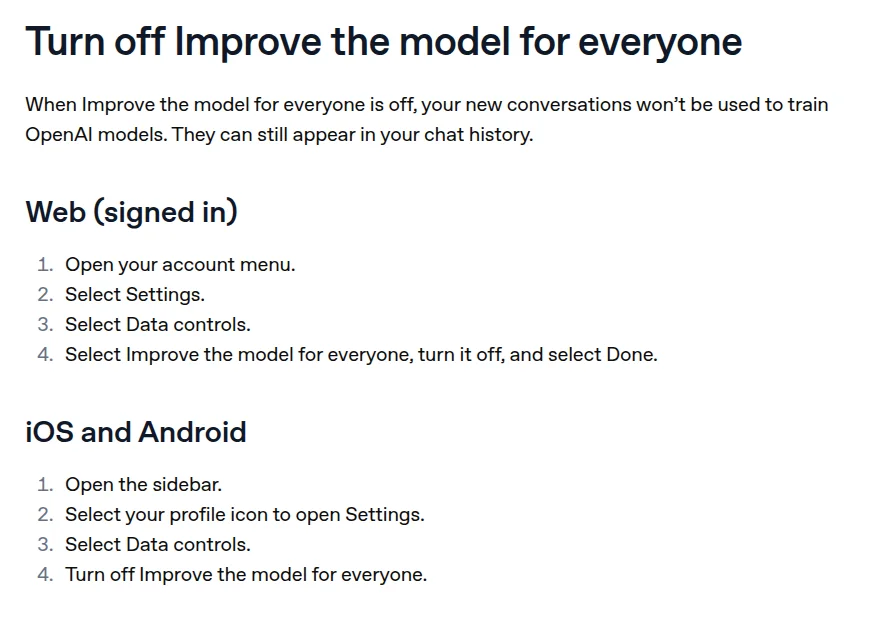
Screenshot: "Data controls in ChatGPT", OpenAI Help Center, checked October 21, 2026.
Step 2: Copy the policy
Replace everything in [brackets]. Delete any section that doesn't apply, but keep sections 4, 6 and 8: they're the ones that stop the hidden use.
Shadow AI Policy
Company: [Company name] Version: [number] Effective date: [Date] Policy owner: [Name], [Title] Contact for questions, requests and reports: [Email or chat channel]
1. Purpose
[Company name] wants you to use AI tools that help you work. This policy says which tools are approved, what data can go into them, how to get a new tool approved, and what to do if something goes wrong. It exists to protect customer and company data, not to stop you using AI.
2. Scope
This policy applies to all employees, contractors and freelancers who do work for [Company name], on company or personal devices. It covers:
- chatbots and AI assistants (for example ChatGPT, Claude, Gemini, Copilot, Perplexity);
- AI features inside software we already use (note takers, writing assistants, CRM and email features);
- browser extensions and coding assistants that send text or code to an AI service;
- AI agents that can read or act on email, files, calendars or other accounts.
3. Definitions
- Shadow AI: any use of an AI tool or feature for company work that isn't on the approved list in section 4, or an approved tool used through a personal account.
- Approved tool: a tool on the list in section 4, used through a company account.
- Public data: information already published, such as our website and marketing material.
- Internal data: day-to-day company information that isn't public, such as internal documents, plans and non-sensitive emails. Examples: [add 2 or 3].
- Restricted data: customer personal data, health or financial records, passwords and keys, source code, contracts, pricing and anything under a confidentiality agreement. Examples: [add 2 or 3].
4. Approved tools
Use these tools for work, signed in with your company account. Personal accounts of the same tools are not approved for company data.
| Tool | Account | Approved for | Data allowed | Notes |
|---|---|---|---|---|
| [Tool name] | Company workspace | [Drafting, summarizing, research] | Public and internal; restricted only if listed here | [Training off by default on this plan] |
| [Tool name] | Company workspace | [Code help] | Public and internal; no passwords, keys or customer data | |
| [Add a row per tool] |
The owner keeps this list at [link to wiki or shared drive] and updates it when a request is approved or a vendor changes its terms.
5. Data rules
| Data | Approved tool, company account | Any other AI tool or personal account |
|---|---|---|
| Public | Yes | Yes |
| Internal | Yes | No |
| Restricted | Only tools marked for restricted data in section 4 | Never |
If you're not sure which class something is, treat it as restricted and ask.
6. Asking for a new tool
If you want to use a tool or AI feature that isn't listed, send the owner:
- the tool's name and website;
- what you'd use it for;
- what data would go into it;
- whether there's a company or team plan.
The owner answers within five working days: approved (added to section 4), approved with limits, or not approved with a suggested alternative. Every request and answer goes into the request log. Until you get an answer, use the tool only with public data, or not at all.
7. AI features, extensions and agents
- A new AI feature inside software we already use counts as a new tool if it sends our data to a different company or turns on by default. Ask before you switch it on for company data.
- Browser extensions and coding assistants need approval before you install them on a device you use for work.
- An AI agent that can read or act on email, files, calendars or other accounts needs written approval from the owner, with a list of what it can access. An agent has the same access as the account it runs under, so give it its own limited account where you can.
8. Reporting a slip
If you put internal or restricted data into a tool that isn't approved for it, tell [the owner] the same working day. Say which tool, what data and when.
- A first report is treated as a fix, not a disciplinary matter. We'll help you delete the conversation, check the tool's training setting and decide whether anyone needs to be told.
- Hiding a slip, or finding out about one that wasn't reported, is treated more seriously than the slip itself.
- If the data was customer personal data, the owner decides with [name] whether it's a data incident under our incident response plan.
9. Training
Everyone gets a short session on this policy when they join and once a year after that, covering the approved tools, the data rules and how to report a slip. The owner keeps a record of who attended.
10. Breaking the policy
Repeated or deliberate use of unapproved tools with restricted data, or ignoring a "not approved" answer, may lead to disciplinary action under [our disciplinary procedure]. Using a tool in good faith while a request is pending, with public data only, is not a breach.
11. Review
The owner reviews the approved tool list every quarter and this policy every year, or sooner if a vendor on the list changes how it uses customer data.
Acknowledgment: I have read this policy and will follow it. Name: ________________________________ Date: ________________________________
END OF POLICY TEMPLATE
Step 3: Launch it with a grace period
Send the policy with a clear window to come clean: list the AI tools you use for work, with no penalty, before anything gets switched off. Then approve what you can, move people off what you can't, and only after that start blocking.
That order comes from people who've done it. In an r/ITManagers thread from August 31 on rolling out an AI policy, u/BoorishSalvation advised to "frame it as a safety net rather than a clampdown" and to "give em a grace period too, like 30 days to register what they're using before anything gets locked." u/Limeasaurus described what happened when their team restricted Google sign-in to approved apps: "we had about 10 apps that we missed. They were under other names that no one recognized."
There's a fair warning in the same thread. u/ElectroStaticSpeaker wrote that without central management, "Most of the people aren't going to read it and even the ones who do aren't likely to comply." We think that's half right. A policy alone won't do it, which is why the approved tools have to be genuinely easy to get, and why the detection steps in our shadow AI detection guide still matter.
Step 4: If you have staff in the EU, count the training session
The EU AI Act's AI literacy article has applied since February 2, 2025. As amended by the Digital Omnibus (Regulation (EU) 2026/1744), it asks deployers to "take measures to support the development of AI literacy" of their staff, and it "does not require providers or deployers to guarantee any specific level of AI literacy." Section 9 of the template is that measure for most small teams. Keep the attendance record.
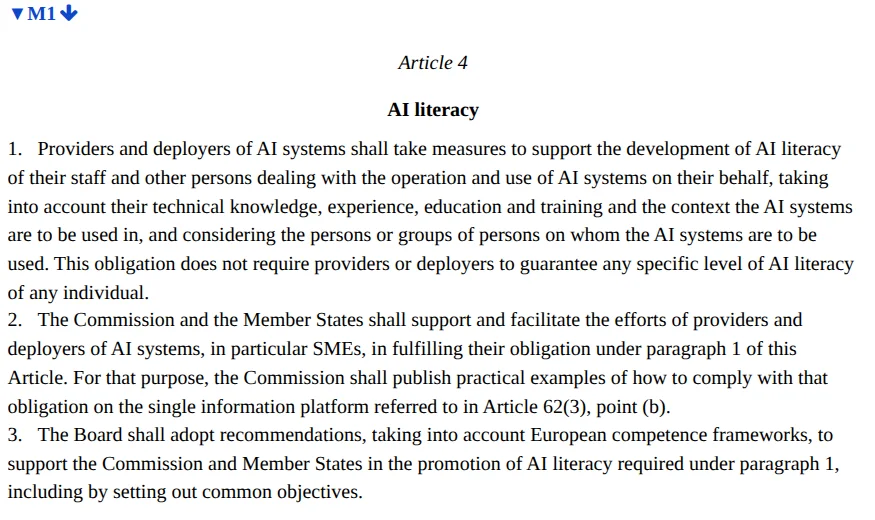
Screenshot: Article 4, consolidated text of Regulation (EU) 2024/1689 (version of July 27, 2026), EUR-Lex, checked October 21, 2026.
What to keep on file
- The approved tool list with the date each tool was added and the plan it's on. If you also use the NIST AI Risk Management Framework, this list is your start on its inventory step (GOVERN 1.6), and our AI register template is the fuller version.
- The request log: tool, who asked, what for, the answer and the date. The tools people keep asking for are the ones to approve next. Our third-party AI tool risk assessment template is the review form behind each answer.
- Slip reports and what you did about each. If one turns into an incident, the AI incident response plan template takes over.
- Signed acknowledgments and the training record.
What this template doesn't cover
- Finding the tools in the first place. That's the job of the detection guide.
- AI features buried in tools you already approved. Section 7 sets the rule; our guide to governing embedded AI in third-party tools covers the vendor review.
- Regulated data. Health, card and children's data need their own contracts and controls on top of this policy.
- Monitoring employees. If you plan to monitor AI use on staff devices, check the notice rules where your staff work first; our employee monitoring disclosure tracker lists them by state.
What we could not confirm: the NCSC doesn't name the study behind its 71% figure, and the Microsoft figure is from 2024. We use both as direction, not as a measure of your team. The vendor terms in the Step 1 table were checked on October 21, 2026 and change often, so recheck them at each quarterly review.